Need to Change Text in a Scanned PDF? Yeah, We Do That.
If you want to try tackling it yourself first, I get it. Adobe Acrobat's online editor and Smallpdf are decent starting points. But when the result needs to look flawless — that's when people reach out to us.
📑 What's Inside This Guide
everything you need to know1️⃣ What Actually Makes Scanned PDF Editing Difficult?
Here's the thing most people don't realize — a scanned PDF isn't really a document. It's a photograph of a document. All the text you see is just pixels arranged in the shape of letters. There's no actual text layer to select and edit. So when you need to change something, you can't just highlight it and start typing.
That's where our scanned pdf text change service comes in. We work directly with the image itself. The process involves identifying the exact font used, matching the text color and size, recreating the background texture behind the old text, and then laying in the new text so it looks completely original.
The difficulty varies a lot depending on the document. A clean 300 DPI scan with a common font like Times New Roman? That's pretty straightforward. But a blurry phone photo of a document with a rare font, complex background patterns, or watermarks? That takes more time and care.
If you're curious about the technical side, how OCR technology works and the Adobe guide on editing scanned PDFs are both worth reading for background.
- How sharp is the scan? Crisp 300 DPI scans are ideal to work with.
- What font is being used? Common fonts save time, rare ones need extra effort.
- Is the layout simple or does it have tables, columns, and graphics?
- Are there watermarks, stamps, or background patterns to preserve?
- How much text actually needs to be changed?
- What output format do you need — PDF, JPG, PSD?
- And yes — confidentiality is non-negotiable. Every scanned pdf text change service order stays private.
3️⃣ Here's How We Actually Change Text in Your Scanned PDF
I keep the process simple and transparent. No confusing steps, no technical jargon. Here's exactly what happens when you send us a file for our scanned pdf text change service:
- I examine your scanned document first. Check the resolution, identify all the fonts used, study the layout structure. For a typical page this takes maybe 10-15 minutes. I need to understand exactly what I'm working with.
- Then the actual pixel-level work begins. I open the file in Photoshop, zoom in to 300% or more, and carefully remove the old text while preserving the background underneath. This isn't a quick eraser job — it takes patience.
- Font matching is the critical step. If I already have the exact font in my library, perfect. If not, I search through thousands of fonts to find the closest match. And if nothing matches exactly, I'll manually adjust characters or recreate them from scratch.
- New text gets placed with precision. Every character is positioned to match the original spacing, kerning, and alignment. Color gets sampled directly from the existing text so it blends perfectly.
- Quality check before delivery. I review the document at normal size, then zoom back in and inspect every edited area. If anything looks even slightly off, I fix it before you ever see the file.
This entire process exists because automated OCR tools simply cannot match what a careful human editor can do. That's the whole point of a professional scanned pdf text change service — real attention to detail that software alone can't replicate.
4️⃣ Why Clients Stay and Build Long-Term Partnerships With Us
To be completely upfront, people stick with us because we take the time to do things right. This scanned pdf text change service didn't start with a massive ad budget or a huge corporate push. It began as a hands-on freelance hustle, built entirely on word-of-mouth recommendations. When you deliver clean work on sensitive files, clients naturally pass your name along to others.
When you drop us a line, you reach a real person immediately. There are no robotic scripts, no rigid support tickets, and no generic automated loops to fight through. If we are logged in, you will usually get a personal reply in less than a minute. We look over your file together, give you an honest breakdown of what is possible, and get straight to work.
Our workspace has seen a bit of everything over the seasons—from restructuring official transcripts and editing tight business agreements to refreshing faded medical forms, product catalogs, and old archival records. Every layout gets the same level of close, focused detailing, no matter how small the patch or how tight the budget.
5️⃣ Real Manual Editing vs Those Auto OCR Tools
They're fast and they're free. But the results? Fonts look slightly wrong, spacing gets messed up, and anyone paying attention can tell something was changed. Fine for casual use, not for anything that matters.
A real person opens your scanned PDF in actual editing software, zooms in deep, and makes changes that blend completely. That's the difference — human judgment beats automation every time with our scanned pdf text change service.
6️⃣ See a Real Example of Our Text Change Work
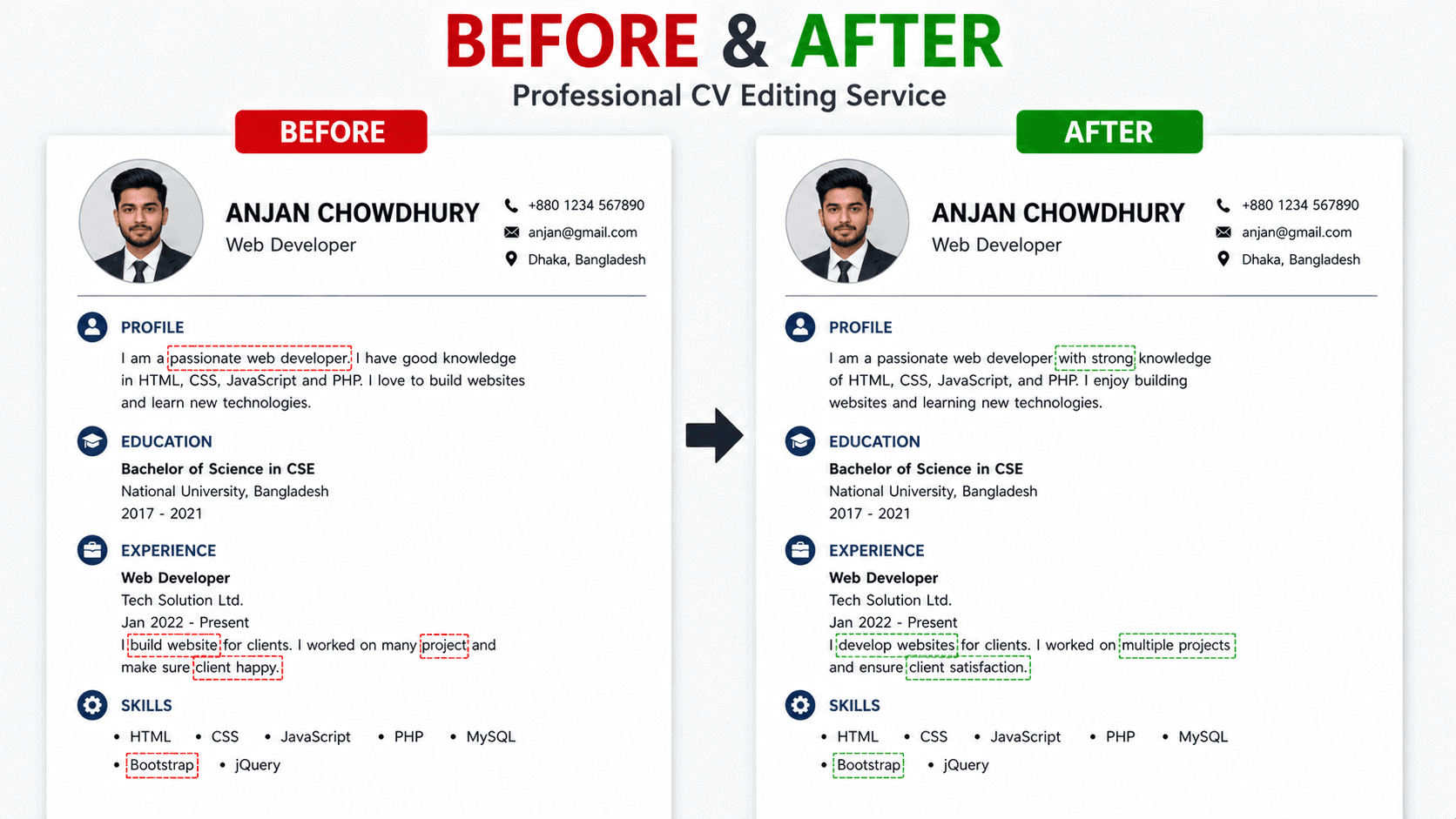
Here's an actual before-and-after from a recent scanned pdf text change service project. The text was completely changed, but look at the font match, the spacing, the background — completely seamless. This is the quality standard we hold every single job to.
Want to learn more about what goes into professional document editing? Check out Adobe's text editing documentation and GIMP tutorials for a sense of the basics.
7️⃣ Looking at the Value – Is a Paid Document Update Truly Worth It?
We see this loop happen all the time. Someone jumps on a free web app to quickly swap out a date, spends a frustrating afternoon fighting with weird font mismatches or jagged smudges, and ends up with a file that looks visibly altered. In the end, they bring it to us to fix the damage. The real tradeoff here isn't just the editing fee—it is the loss of your valuable time and, potentially, your professional credibility if a client spots a sloppy edit.
Choosing a manual scanned pdf text change service is simply buying peace of mind. You get your files back looking clean, balanced, and completely authentic, allowing you to stay focused on your actual business goals instead of wrestling with uncooperative graphics software.
- Save Your Energy — Skip the trial-and-error loop with automated software that only gets the job halfway right.
- Keep the Original Vibe — Your document retains its natural paper aging, crisp text lines, and layout structure without synthetic blurs.
- No Post-Edit Cleanup Needed — We deliver complete, standalone files so you won't have to fix broken text wraps or skewed margins.
- Immediate, Turnkey Delivery — The minute the file drops into your inbox, it is fully prepared for print or official digital submission.
- Built to Handle Batches — From a single critical invoice update to massive file archives, our scanned pdf text change service handles projects at any scale.
8️⃣ What We Won't Edit — Let's Be Clear
We run an ethical operation. There are certain things we simply will not touch, no matter how much you offer to pay. This protects both you and us.
Any legitimate scanned pdf text change service should have firm boundaries. Here are ours.
- We don't forge official government documents
- No editing IDs, passports, or identity documents
- Nothing illegal or fraudulent — obviously
- Happy to sign an NDA before you send anything
9️⃣ Ready to Get That Text Changed? Let's Talk.
Send over the details — how many pages, what kind of scanned document, and what text you need changed. I'll get back to you with a clear quote and realistic timeline. No pressure, no sales speech.
I usually respond within a minute during working hours. You can also browse our main site: 2nur.com or visit the contact page.
Fast Turnaround
100% Confidential
✅ You talk to a real person • ✅ Clear pricing from the start • ✅ Quick response times • ✅ Your files stay completely private • ✅ We stand behind every single edit — that's the foundation of our scanned pdf text change service.
🔟 Questions People Usually Ask Us
Most jobs are finished within 24 hours. Single-page edits can often be done the same day depending on when you send it. Got something urgent? Let me know and I'll see if I can fast-track your scanned pdf text change service order. Rush delivery is often possible.
That's the entire goal. Our whole scanned pdf text change service is designed around making edits that are completely invisible. Font matching, character spacing, text color, background texture — everything gets matched as precisely as possible. If it doesn't look right, we don't send it out.
Your files are handled with complete confidentiality from start to finish. We can sign an NDA before you even send anything over. After you've confirmed the work looks good, we delete everything from our system. Many scanned pdf text change service clients send us sensitive documents regularly.
Scanned PDFs are what we specialize in, but we also work with JPG, PNG, TIFF, and pretty much any image format. If it's a scanned document, we can almost certainly edit it through our scanned pdf text change service.
Sometimes yes, sometimes no. Handwriting varies so wildly from person to person. Send me a sample and I'll take a look. I'll give you an honest assessment of whether it's doable through our scanned pdf text change service or not.