
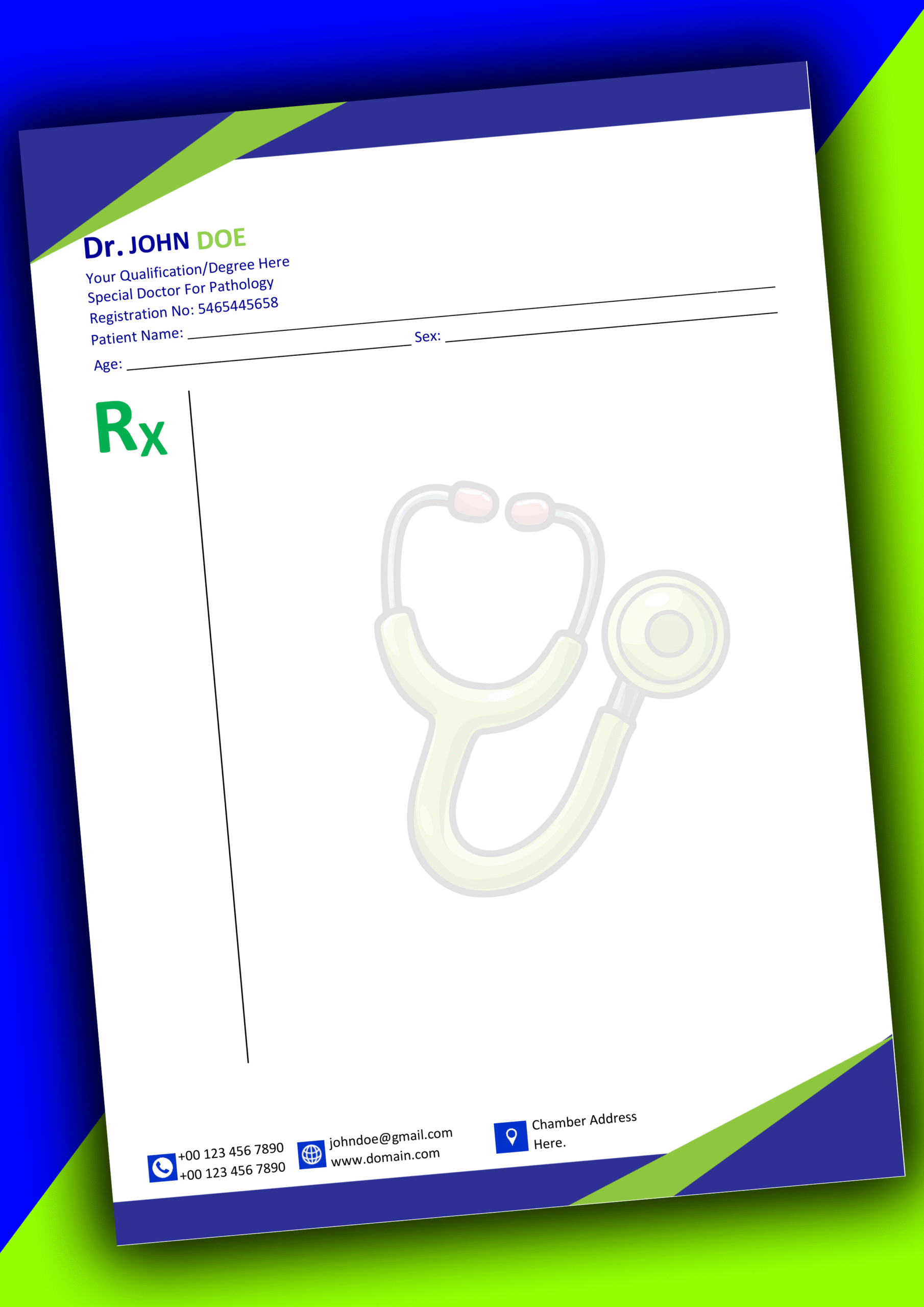

🏥 MS Word Doctors Pad Prescription Design 2
The Best Solution for Todays Clinics
In todays healthcare world a professional template is more, than paper. It shows you are an expert.
Our Doctors Pad Prescription Design 2 helps doctors be clear follow rules and be easy to use.
This makes your medical brand look professional and stand out.
🚀 Exclusive Features of This Medical Template
This layout is designed with an understanding of a doctors daily work.
We have added features that reduce paperwork and let doctors spend time with patients.
Whether you are a doctor or a specialist this design works well in your office.
- * Smart Layout: The Doctors Pad Prescription Design 2 divides details, medical history and prescription notes into easy-to-use sections.
- * Clear Fonts: Professional fonts make sure every document you print is easy to read for both patients and pharmacists.
- * Digital Signature: You can easily add your signature to the Word file without messing up the layout.
- * Ready to Print: Optimized for A4 and Letter sizes making it perfect for hospitals and private offices.
- * Easy Digital Export: Convert your prescription into a PDF for consultations, with just one click.
📋 Detailed Layout Breakdown
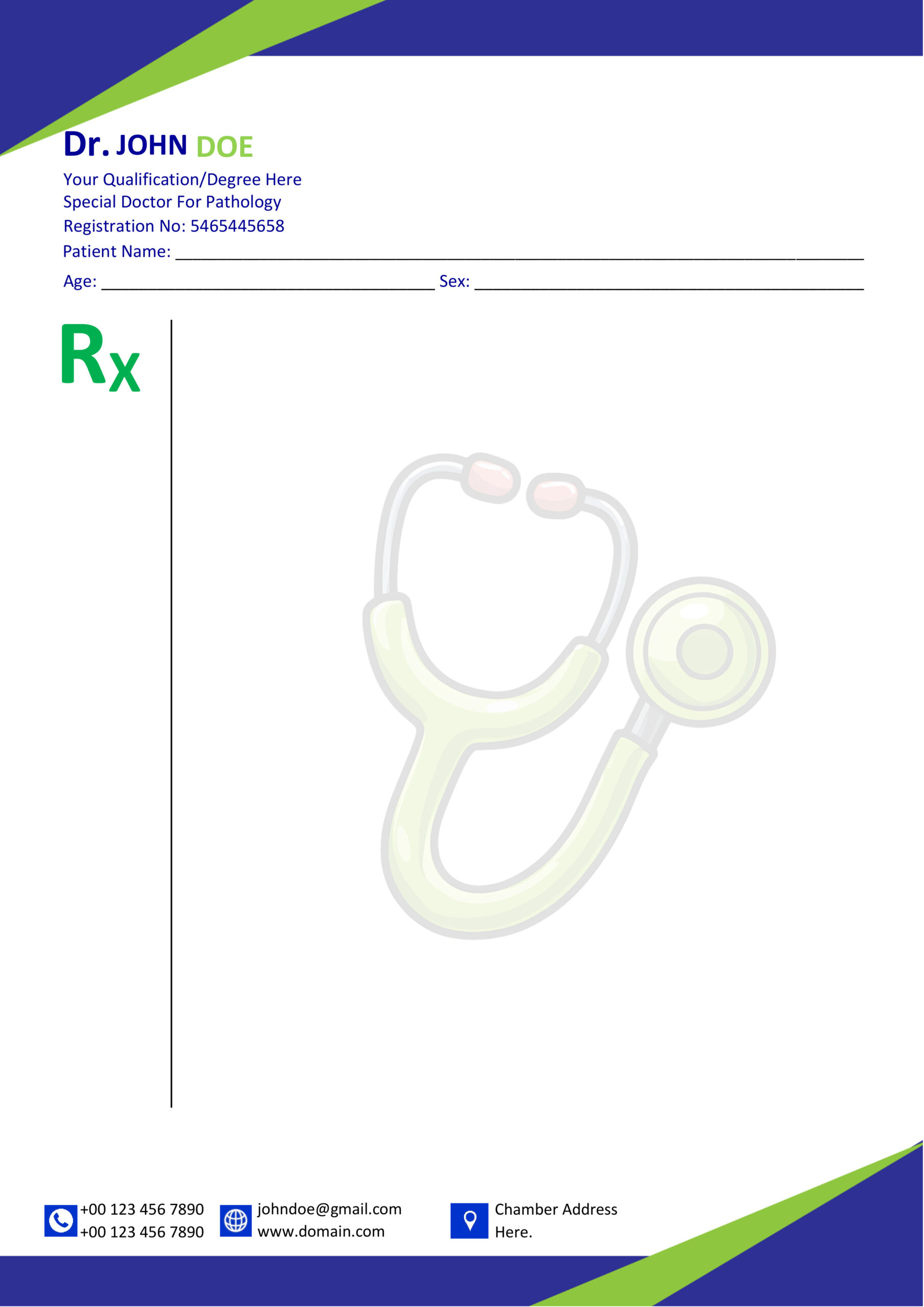
To get the most out of our Doctors Pad Prescription Design 2 you need to know how it is set up. The template is split into a few parts that are meant to be very accurate for medical use.
1. **Header Branding**: The top part is where you put your clinics name what you are qualified to do and your registration details. This part is meant to stand out but still look clean and like a clinic.
2. **Patient Demographics**: Below the part there are special spaces for the patients name, age, sex, weight and the date. This makes sure that important information is not forgotten.
3. **Clinical Sidebar**: One thing that makes this design special is the sidebar on the left for health information main complaints and health history. This keeps the part of the page free, for the main treatment plan.
4. **Main Rx Area**: This is the part of the prescription where you list the medicines how much to take and what to do. There is a lot of space to make it very easy to read and understand the Doctors Pad Prescription Design 2. The Doctors Pad Prescription Design 2 is made to be easy to use and to help with accuracy.
💡 Why Choose Our Professional Design?
When we are setting up a record we need to think about the layout. The way we organize the information is very important for keeping patients safe. If you want to know more, about how medical records should be set up around the world you can look at the WHO Medical Guidelines. This will show you why healthcare providers everywhere need to use a layout. The WHO Medical Guidelines explain that a structured layout is essential for healthcare providers to do their jobs well.
A well-structured Doctors Pad Prescription Design 2 builds immediate trust with patients and reinforces your clinical reputation.
Unlike rigid PDFs, this MS Word (.docx) file allows you to change colors, fonts, and labels to suit your personal branding.
By providing structured fields, the layout helps avoid skipping vital patient information during busy consultation hours.
Buy this template once and use it forever. Update your contact info or clinic address anytime without paying extra fees.
📖 How to Customize Your New Template
Our digital things are made for everyone no matter how good you are with computers. To make your Doctors Pad Prescription Design 2 your own just do these things:
- * Download and open: Get the file and open it in Microsoft Word on your computer or laptop.
- * Put in your information: Replace the sample text with your Clinic Name, Degrees and the times you see patients, at your Chamber.
- * Add pictures: Go to the part and add your clinics official logo so it looks like all your other stuff.
- * Change colors: If your clinic uses green or red you can change the borders to match it is easy to do.
- * Print it: When you like how it looks print your pad on really good paper like the kind they use for important documents.
🛠️ Technical Specifications
- Model Name: Doctors Pad Prescription Design 2
- File Format: MS Word (.docx)
- Resolution: 300 DPI (Print Ready)
- Fonts: Modern Sans-Serif
- Page Size: A4 / Letter Size
- Software: Word 2010 or Later
- Asset Type: Digital Download
- Support: 24/7 Assistance
🖼️ Design Preview & Tutorial
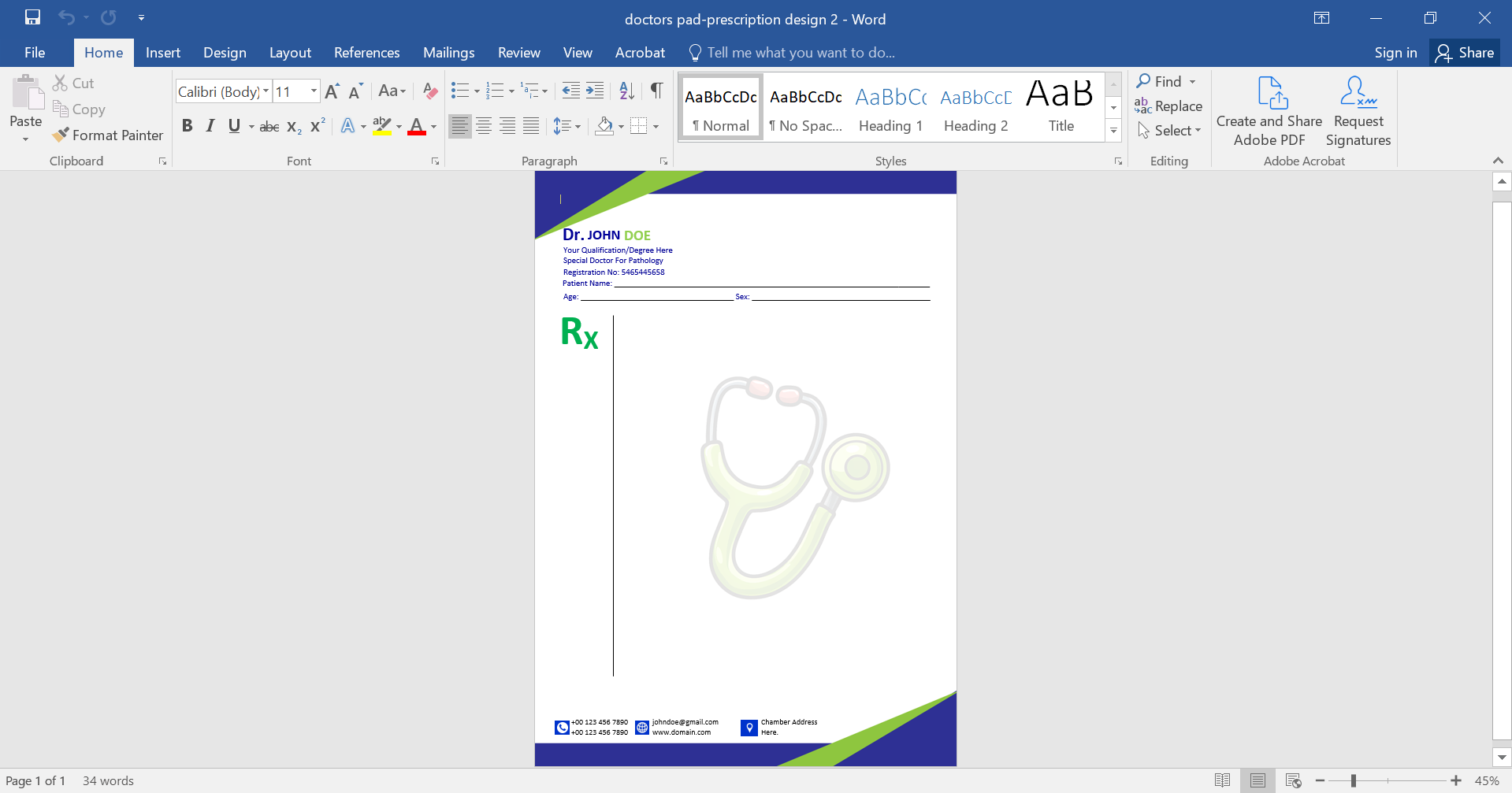
🎥 Visual Tutorial: Learn How to Edit Your File
Frequently Asked Questions
Q: Is this template okay for doctors to use?
A: Yes it has all the required fields for a prescription.. Make sure your registration number is visible.
Q: Can I use it on than one computer?
A: Yes you can. Once you buy it you can use the file on any computer, with MS Word installed. There are no limits.
Q: Will I get help if I want to change the layout?
A: Yes you will. We offer help 24/7 if you have any problems editing your Doctors Pad Prescription Design 2.
Download Your Professional Template Now
Get the Doctors Pad Prescription Design 2 today and save countless hours on administrative design work.
Explore more medical assets at our Template Store.
Reviews
There are no reviews yet.