Hire a Pro PDF Editor Freelancer – Real Solutions, No AI Mess
Let’s be completely honest for a second. Without a doubt, we’ve all been there at some point. You have a highly important PDF file—maybe an invoice, a lease agreement, or a company brochure—and you suddenly spot a glaring typo on page 3. Consequently, you try to run it through one of those free online tools. Next thing you know, the fonts are completely mismatched. Furthermore, the logo looks like a blurry potato, and the margins are entirely ruined.
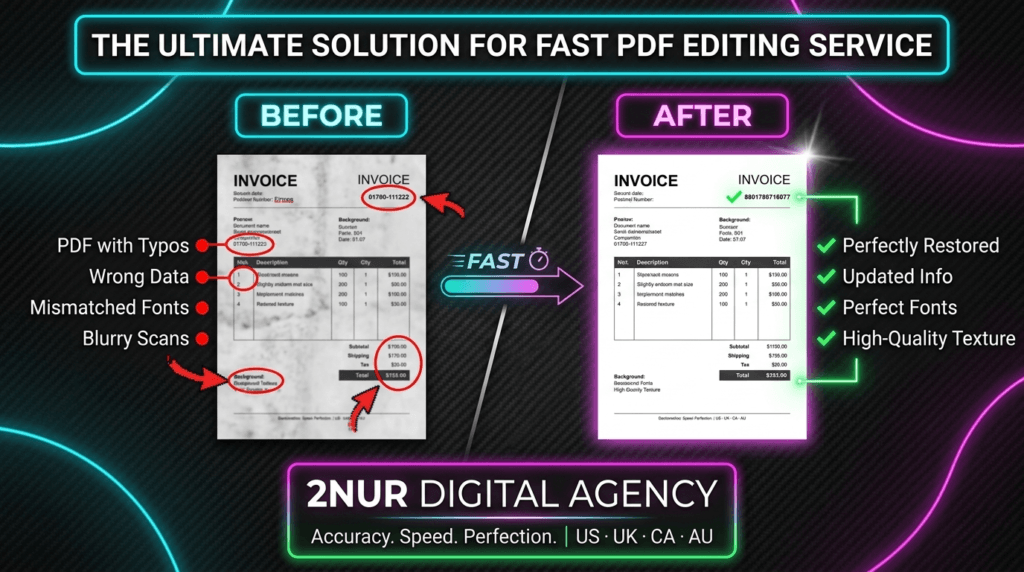
That exact nightmare scenario is why I became a dedicated PDF editor freelancer. Automated tools simply don't care about the layout, but your clients definitely do. Therefore, when I edit a document, my process is entirely manual. Whether fixing a scanned document or updating financial numbers, preserving the final output's original look is my top priority. As a result, you get absolutely no watermarks and no broken formatting. Just clean, professional work every single time.
📚 What to Expect From My Services
Freelance Portfolio Guide1. The Reality: Free Tools vs. A Real PDF Editor Freelancer
I get messages all the time from people panicking because a free website messed up their business proposal. Here is the reality check about why hiring a specialized expert saves you headaches:
- Font Matching is an Art: Online tools usually slap Arial or Helvetica over your custom brand fonts. On the contrary, I manually dig into professional software to match the exact typeface, weight, and kerning.
- Image Compression Destroys Quality: Ever notice how your logo looks pixelated after using an online editor? That happens because they compress files to save server space. However, I work locally, preserving full 300 DPI resolution.
- Scanned Documents Need a Surgeon: If you take a picture of a paper with your phone, no AI tool can edit that cleanly. In fact, I literally clone the paper texture, remove the old text, and blend the new text in perfectly.
- Data Privacy Matters: Uploading sensitive bank statements to a random free website is a massive security risk. As a professional, your files stay on my offline hard drive and get deleted when the job is done. You can learn more about my team and background at the 2nur digital agency website.
💡 Bottom line? If the document is going to a boss, a client, or a judge, you shouldn't rely on a free bot to handle it.
2. Honest Pricing
A few typos, date changes, or simple text swaps in standard PDFs.
Adding pages, changing images, or creating basic fillable form fields.
Scanned docs, heavy formatting, or recreating a lost source file.
⚡ I don't charge for reasonable revisions. We tweak it until it looks right.
3. How I Actually Edit Your Files
A lot of clients ask me, "How do you make it look like it was never edited?" Well, I don't use magic. Instead, I rely on industry-standard tools like Adobe Acrobat and Photoshop. Here's a quick peek into my workflow:
If the PDF was exported directly from Word or Canva, I usually open it natively. If the layout is stubborn, I port the page over to Adobe Illustrator. From there, I break it down into vector shapes, fix the text, and re-export it. It takes more time, but the quality loss is absolute zero.
This is where my freelance skills really shine. For scanned papers, I pull the page into Photoshop. Then, I use the healing brush and clone stamp to wipe away the old numbers or words, perfectly preserving the grainy paper background. Finally, I type the new text, add a slight blur filter to match the printer ink fade, and merge it back.
4. Top Services Provided by a PDF Editor Freelancer
As a full-time professional, my day usually consists of bouncing between these types of essential tasks:
- Document Correction: Fixing names, addresses, typos, and dates on official documents where the original source file is long gone.
- Fillable Form Creation: Taking a boring flat PDF and adding text boxes, drop-down menus, checkboxes, and digital signature blocks. Perfect for HR departments.
- File Size Optimization: Shrinking a massive brochure down to email size, without making the photos look like Minecraft blocks.
- Merging & Splitting: Taking several different file types and combining them into one clean, paginated binder.
- Watermarking & Redaction: Securely blacking out sensitive information so it absolutely cannot be copy-pasted or uncovered later.
5. The "Before & After" Reality Check
Talk is cheap, right? For instance, here is a real-world example of what I mean by seamless editing. When I alter a scanned document, I don't just paste a white box over the old text and clumsily type over it. Rather, I match the exact background color, the noise of the scanner, and the specific font weight. Check it out:
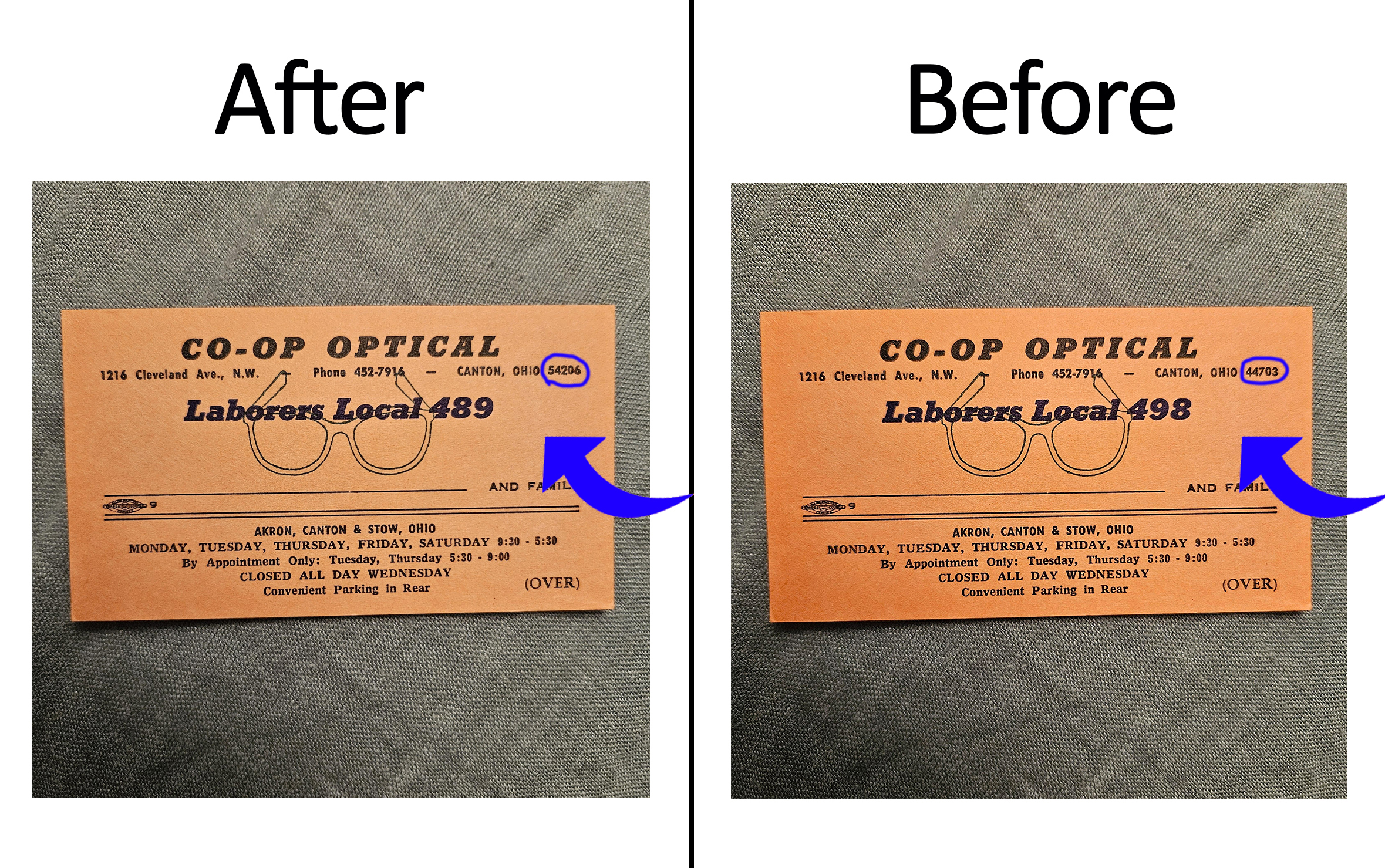
↑ Notice how the corrected text blends perfectly with the original document's lighting and texture. AI tools just can't do this accurately yet.
6. NDA & Privacy Rules
Let’s talk about trust. Being a freelancer means handling people's highly personal stuff. Here is my ironclad promise to you:
- Total Discretion: I never use client files for my public portfolio unless all identifying info is completely changed.
- NDA Friendly: Send over your Non-Disclosure Agreement. I will gladly sign it before you even send the files.
- The 7-Day Purge: Once you approve the final delivery, I keep the file for exactly 7 days. After that period, it gets permanently wiped from my drive.
7. Hire Your PDF Editing Freelancer Today
Skip the formal corporate emails entirely. Just shoot me a message on WhatsApp or Email with your file attached and tell me exactly what’s wrong with it. E.g., "Hey, can you change the date on page 2 to 2026?"
Following that, I'll take a look, tell you if it's a $10 or $20 job, and let you know how many hours it'll take. I am proudly part of 2nur digital agency, so you are in safe, professional hands.
🕒 Fast Turnaround
💳 Secure Payments
🔄 Satisfaction Guaranteed
8. PDF Editor Freelancer FAQs
100% by hand. I am a real PDF editor freelancer, not an automated script. Furthermore, I use Adobe Acrobat Pro, Illustrator, and Photoshop. That’s why my edits actually look completely natural compared to cheap software.
Usually, yes! If I'm awake and at my desk, I can knock out simple text edits in about 30 to 45 minutes. Just message me first so I can quickly confirm my availability.
I'm human, so minor oversights can happen occasionally. Just point it out and I'll jump right back in and fix it for free. In fact, I don't consider the job done until you're totally happy with the document.
Yes, absolutely. That requires specialized Photoshop work. I will clone the background paper texture, erase the old text, and match the new text to the lighting of the photo. It takes a bit more effort, but the results are incredibly realistic.