How to Add a Digital Signature and Stamp to a PDF – Complete Guide + Professional Help
I was wondering how to add a signature and stamp to a PDF correctly the other day. You see, whether you need to sign contracts stamp approvals or create accepted PDFs. I will show you the best methods to do it. And if you want it done perfectly without the hassle I offer PDF signing services and it starts at just $10.
I think digital signatures and stamps make your documents official, secure and professional. In this guide I will explain step-by-step methods using tools Adobe Acrobat and online platforms to add a digital signature and stamp, to a PDF.. You can hire me to add signatures, stamps or redesign any PDF document and I respond in 1 minute with unlimited revisions.
📚 Complete guide + professional PDF signing services
Tutorial & service1. How to Add a Digital Signature and Stamp to a PDF – 3 Easy Methods
Learning how to add a digital signature and stamp to a PDF is essential for contracts, invoices, approvals, and legal documents. Here are the most common methods:
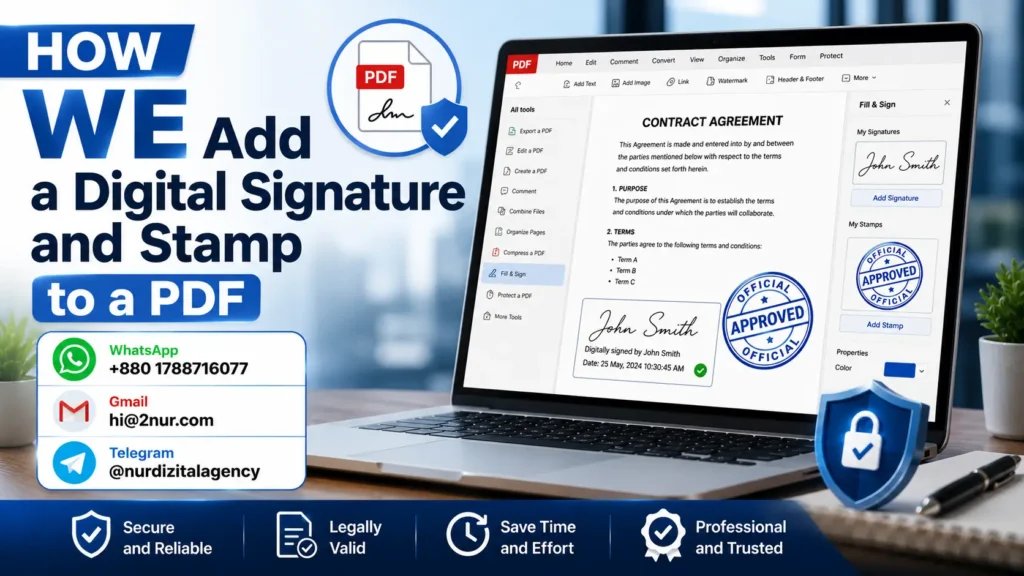
- 📌 Using Adobe Acrobat Reader (Free) – Open PDF → Click "Fill & Sign" → Create signature → Place it. For stamps: Use "Comment" → "Add Stamp" (predefined or custom).
- 📌 Using online tools (Smallpdf, Ilovepdf) – Upload PDF → Add signature or stamp → Download. Free but limited privacy.
- 📌 Using Microsoft Word / Google Docs – Convert PDF to Word → Insert signature image → Convert back to PDF.
⚠️ Important: For legally binding digital signatures (e-signatures compliant with ESIGN Act or eIDAS), you need certificate-based signatures. I can help you set up and apply them professionally.
⭐ Not comfortable doing it yourself? I can add signatures and stamps to any PDF for you – starting at $10.
2. PDF Signing & Stamping – Simple Pricing
Add 1 signature + 1 stamp to a PDF
5+ signatures + custom stamp design
Certified digital signature + multiple stamps + form filling
⚡ Rush delivery? +50% | Unlimited revisions always included
3. Free DIY Tools vs Hiring a Professional – What's Best for You?
Good for one-off personal use. But: limited stamp options, no custom designs, privacy risks (online uploads), and no legal certificate signatures.
I add signatures/stamps exactly where you need. Custom stamps (Approved, Paid, Confidential). Certificate-based e-signatures. 1-min reply. 100% secure.
4. Why Clients Hire Me to Add Digital Signatures and Stamps to PDFs
Many people know how to add a digital signature and stamp to a PDF in theory, but they don't want to waste time, struggle with software, or risk making mistakes. Here's what my clients love:
- ✅ I place signatures and stamps perfectly aligned – no crooked stamps.
- ✅ I create professional custom stamps with your text, logo, or date fields.
- ✅ I handle certificate-based digital signatures for legal compliance.
- ✅ I can fill out entire PDF forms + sign + stamp in one go.
- ✅ I reply within 1 minute and deliver most signed PDFs in under 2 hours.
5. Types of Stamps I Can Create for You
Approved, Rejected, Draft, Confidential, Paid, Received, Signed, Copy
Your company name + date + signature line. Any text, any color, any design.
Handwritten signature image + printed name + title + date.
6. Example: PDF Before & After Adding Signature + Stamp
See the difference a professional signature and stamp makes. Left is unsigned, right is signed and stamped with official approval.
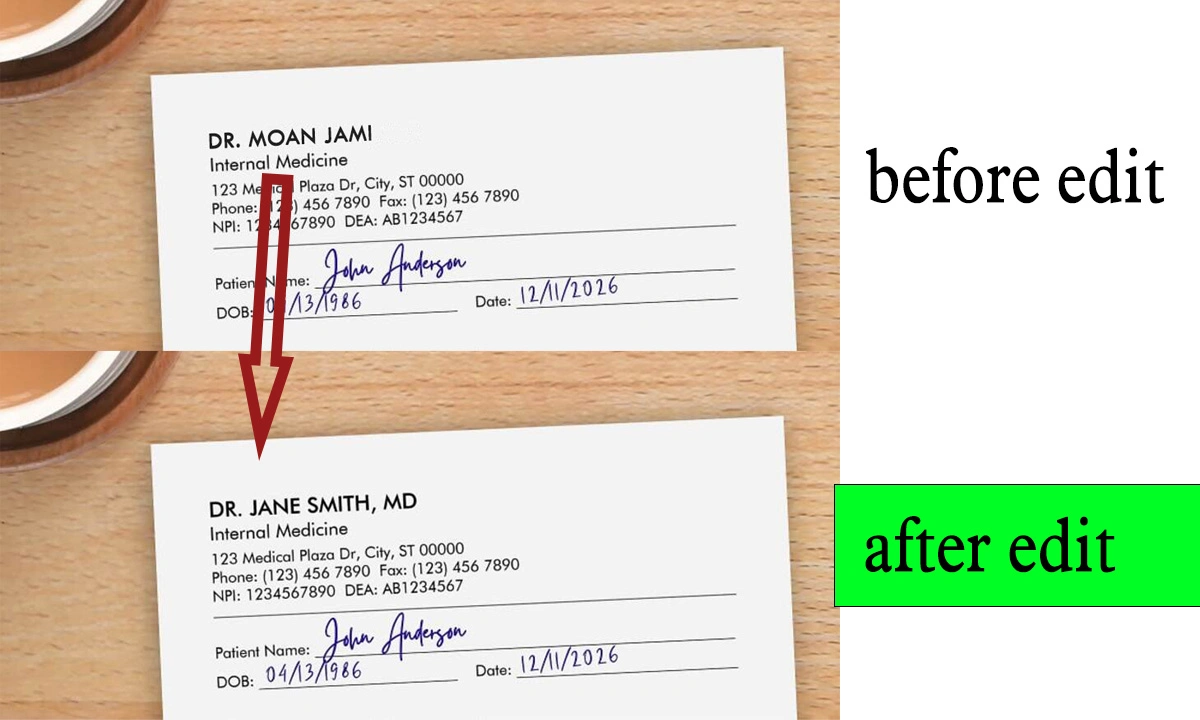
↑ Clean, professional, legally accepted signature and stamp placement.
7. Are Digital Signatures on PDFs Legally Binding?
- ✅ Yes – In most countries (USA, EU, UK, Australia), digital signatures and e-signatures are legally recognized.
- ✅ ESIGN Act (USA) and eIDAS (EU) confirm that electronic signatures hold the same weight as handwritten ones.
- ✅ I can apply certificate-based digital signatures that include encryption and audit trails for maximum legal protection.
- ⚠️ Always check your specific legal requirements. I'll guide you if needed.
8. My Policy for PDF Signing & Stamping Services
- 🔒 I never share your PDFs. All files are deleted 30 days after delivery.
- 📁 I work with contracts, NDAs, invoices, HR forms, legal documents, and more.
- 🚫 I do not create fake signatures or forge stamps.
- ✅ You must have the right to sign the document.
- 📝 I can sign NDAs before you share sensitive files.
9. Ready to Add a Signature and Stamp to Your PDF? Starting at $10
Just WhatsApp or email me the PDF. Tell me: "Add my signature here" or "Place an 'Approved' stamp on page 3". I'll reply within 1 minute with a fixed price and delivery time.
More about 2nur: 2nur.com | Contact Page
💰 $10 – $30 only
⚡ 30min-2hr delivery
🔄 Unlimited revisions
10. Frequently Asked Questions – Digital Signatures & Stamps on PDFs
The best free method is using Adobe Acrobat Reader's "Fill & Sign" tool. For stamps, use the "Comment" → "Add Stamp" feature. But if you want perfect placement, custom stamps, or legal certificate signatures, hiring me is faster and safer.
I reply within 1 minute. For most PDFs, I add signatures and stamps and send back the signed file within 30 minutes to 2 hours.
Yes – unlimited revisions. If you want the stamp moved, resized, or a different color, just tell me. I'll fix it for free.
Yes. One signature + one stamp on a single PDF is $10. Multiple signatures or complex documents are $20–$30. No hidden fees.
100% safe. I never share your documents. I can sign an NDA before you send anything. Files are deleted 30 days after delivery.
Mastering Photoshop Editing for Scanned Documents: The 100% Perfection Protocol
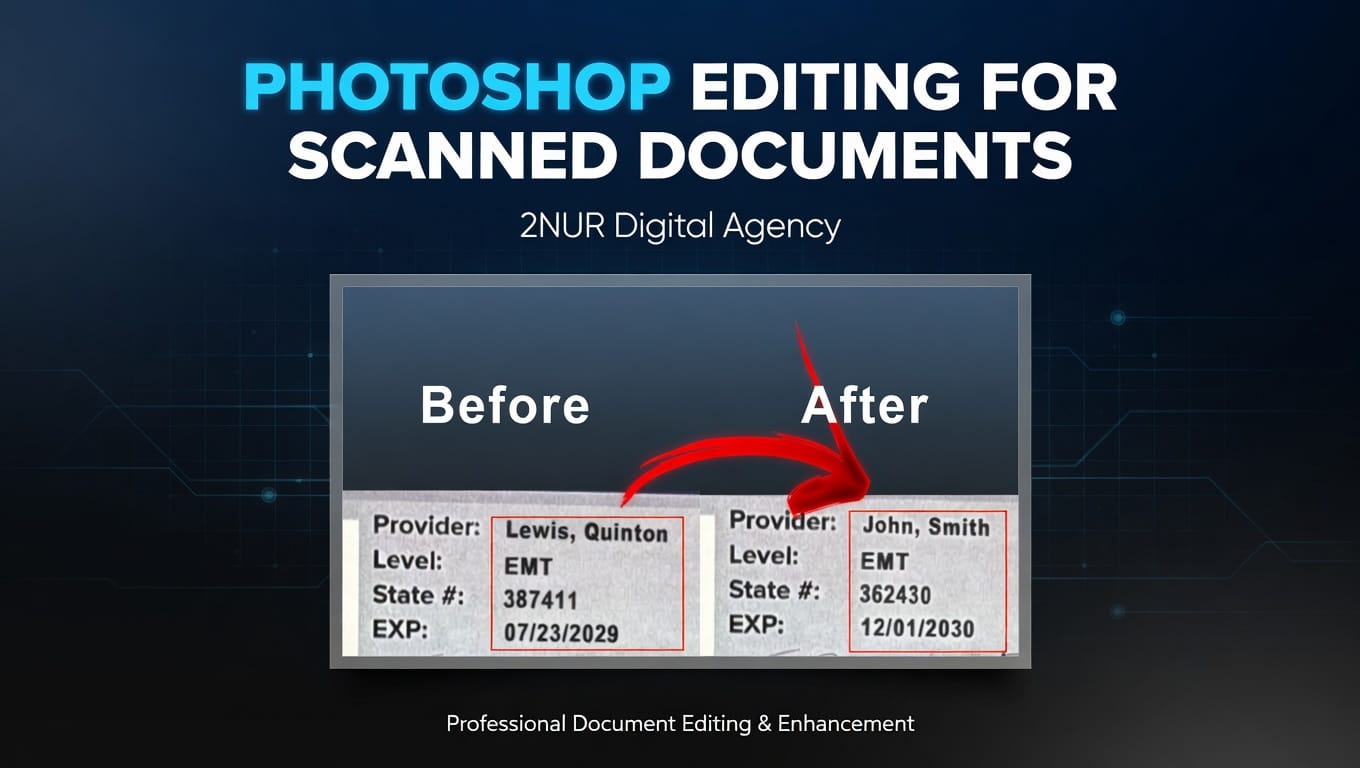
In the landscape of modern administration and international business, a document is more than a file—it is a vessel of trust. When that trust is tested by errors, outdated information, or lost originals, the solution must be absolute. This is where photoshop editing for scanned documents transcends simple graphic design and enters the realm of forensic-grade reconstruction.
At 2nur.com, we recognize that "clean enough" is a liability. Whether you are dealing with high-value contracts or essential professional credentials, any hint of digital manipulation can lead to catastrophic reputational damage. Our philosophy is built on the belief that a document should not just look right—it should be fundamentally indistinguishable from an untouched original.
The Forensic Typography Standard
The first point of failure in amateur photoshop editing for scanned documents is the typography. Most editors simply find a "similar" font. However, every document possesses a unique typographic DNA influenced by the original printer's ink spread and the scanner's resolution. Our experts manually recreate the kerning (character spacing) and leading to ensure the new text sits perfectly within the existing rhythm of the page.
Texture Synchronization & Noise Profiling
Digital pixels are cold and sharp; scanned paper is warm, textured, and noisy. To achieve perfection, we extract the "noise profile" of your specific scan. When performing photoshop editing for scanned documents, we inject this specific grain back into the edited areas. This ensures that even under 400% magnification, the transition between original and edited pixels is invisible to the human eye and automated detection algorithms.
Geometric Flow and Perspective Realism
A common mistake in photoshop editing for scanned documents is ignoring the physics of the scan. Paper rarely lies perfectly flat on a scanner bed; there is often a slight 0.5 to 1.5-degree skew. We use advanced perspective warp tools to ensure that every letter we add follows the exact geometric tilt of the original lines. Without this step, the text looks "floated" rather than printed.
Furthermore, we address the "Ink Bleed" phenomenon. Real ink on paper slightly expands into the fibers. Our 100% perfection standard requires us to simulate this edge-softening on every character we edit. This level of detail is why 2nur.com remains the global leader in professional document services.
The Risks of Automated AI Tools
The rise of AI has led many to believe that "AI PDF editors" can handle sensitive tasks. This is a dangerous misconception. AI often ignores color grading and background uniformity, leading to the "white box" effect where edited areas appear slightly brighter or cleaner than the rest of the aged paper. High-end photoshop editing for scanned documents requires a human eye to balance color temperature and saturation, ensuring that a signature in blue ink matches the exact hue of the original pen used years ago.
Why Global Clients Trust 2nur.com
With seven years of dedicated experience, we have refined a workflow that handles the most complex variables of photoshop editing for scanned documents. We understand the high-stakes nature of your files, which is why confidentiality is at the core of our operations. Once your project is finalized and approved, your data is permanently purged from our secure systems.
Choosing a professional service means you are investing in peace of mind. When you present a document edited by our team, you do so with the confidence that it will pass any visual or digital scrutiny. We don't just change text; we preserve your professional integrity through the most advanced photoshop editing for scanned documents available today.
In a world where precision is everything, settle for nothing less than 100%. Our reconstruction artists treat every pixel as a critical component of your brand’s story. If your document requires a level of perfection that generic tools cannot provide, you are in the right place.
Secure Your Professional Legacy
Don't let technical imperfections stall your progress. Experience the pinnacle of photoshop editing for scanned documents today and see why excellence is our only standard.
Consult an ExpertTelegram: @nurdizitalagency | Email: hi@2nur.com
Website: 2nur.com