How to Create an Interactive Fillable PDF Form Using Adobe Acrobat – Or Let Me Do It for You
I remember the first time I tried to make a fillable PDF form. I thought, "How hard can it be?" I opened Acrobat Pro, clicked "Prepare Form," and watched as it auto-detected fields in all the wrong places. What should have taken 20 minutes turned into two hours of frustration.
That experience taught me something valuable: how to create an interactive fillable PDF form using Adobe Acrobat isn't just about knowing which buttons to click. It's about understanding how fields behave, how to name them properly, how to make them work on different devices, and how to avoid the countless pitfalls
📝 Interactive Fillable PDF Forms
Guide + Service1. How to Create an Interactive Fillable PDF Form Using Adobe Acrobat – 6 Steps
If you're determined to do it yourself, here's the real process — not the simplified version you see in YouTube tutorials, but the actual steps I've refined over hundreds of forms.
- Step 1: Open Your Document in Adobe Acrobat Pro – This won't work with the free reader. You need Acrobat Pro (the paid version). Open the PDF or scanned document you want to turn into a form.
- Step 2: Prepare the Form – Go to Tools → Prepare Form. Acrobat will try to auto-detect fields. Here's the thing: it's almost always wrong. It will place text boxes where there are images, and miss fields entirely. You'll need to manually correct everything.
- Step 3: Add Text Fields – Click "Text Field" and draw boxes where people need to type (name, email, address, etc.). Important: Name each field properly. If you name them "Text1" and "Text2," your data export will be a mess. Use real names like "FullName" and "EmailAddress."
- Step 4: Add Checkboxes, Radio Buttons, Dropdowns – Checkboxes for yes/no options. Radio buttons for multiple choices where only one can be selected. Dropdowns for long lists (like countries or departments). This is where most people mess up — getting the groupings right takes practice.
- Step 5: Add Signature Fields – For digital signatures. This is crucial for contracts, legal forms, and approvals. You need to set it up correctly so the signature is legally binding.
- Step 6: Test, Test, Test – Fill out the form yourself. Try every field. Check that tabs work in the right order. Make sure calculations (if any) are correct. Then save as "Reader Extended" so anyone with the free Adobe Reader can fill it.
⭐ Here's the honest truth: this process takes practice. One wrong field name, and your data export is useless. One misaligned box, and the form looks unprofessional. I've been doing this for years, and I still find mistakes in my work. Let me do it for you — it's faster, cheaper, and guaranteed.
2. Let Me Create Your Form – Simple Pricing
Up to 10 fields, basic layout
10-25 fields, checkboxes, dropdowns
25+ fields, signatures, calculations
⚡ Rush delivery (+50%) | Free revision | Bulk discount for multiple forms
3. What I Include When I Create Your Fillable PDF Form
When you ask me about how to create an interactive fillable PDF form using Adobe Acrobat, I don't just give you instructions — I actually do the work. Here's exactly what you get when you hire me:
- 📝 All Standard Fields: Text fields, text areas, checkboxes, radio buttons, dropdown menus, list boxes — everything your form needs.
- ✍️ Digital Signature Fields: For contracts and approvals. Properly set up for legal use.
- 🔘 Buttons with Actions: Submit, reset, print, calculate — whatever you need.
- 📊 Calculated Fields: Auto-calculate totals, taxes, prices, discounts. I set up the formulas so they work every time.
- 🔒 Field Validation: Ensure email format, require certain fields, restrict number-only fields. No more junk data.
- 📱 Mobile-Friendly: Works on phones and tablets. I test every form on multiple devices.
4. Why Hire Me Instead of Doing It Yourself
I'll be straight with you. The tutorials about how to create an interactive fillable PDF form using Adobe Acrobat make it look easy. But here's what they don't show you:
- ⏱️ It Takes Hours: A 20-field form can take 2-3 hours to set up correctly. Not 20 minutes. Hours. And that's if you know what you're doing.
- 🔧 Acrobat's Auto-Detect Is Wrong: It misplaces fields, mislabels them, and creates extra work. You'll spend more time fixing its mistakes than building the form.
- 📋 Naming Fields Matters: If you name fields wrong, your data export is useless. I use proper naming conventions so your data makes sense.
- 📱 Mobile Compatibility Is Tricky: Fields that work on desktop might break on phones. I test everything on multiple devices.
- 🔄 Testing Is Tedious: You need to test every field, every tab, every calculation. One mistake and the form is broken.
I've made hundreds of forms. I can do in 30 minutes what takes you 3 hours. And it will be perfect — tested, working, and ready to use.
5. DIY vs. Hiring Me
Buy Acrobat Pro ($20+/month). Spend 2-3 hours learning. Another 2-3 hours building. Risk of errors. No support. Frustration included.
$10-30 one-time. I deliver in 30min-2hr. Perfect fields, tested, mobile-friendly. Unlimited revisions. Support included. No headaches.
6. Examples of Forms I've Created
Here's what my interactive fillable PDF forms look like — clean, professional, and easy to use.
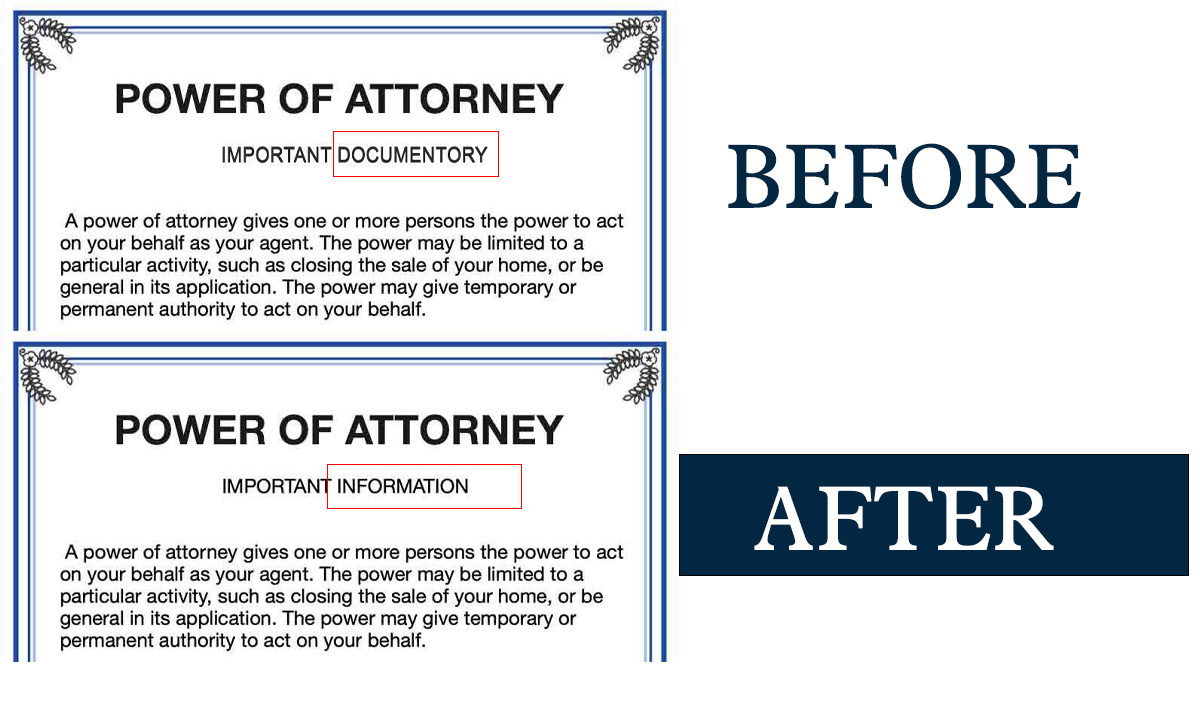
↑ Text fields, checkboxes, dropdowns, signature field — all working perfectly.
7. Why Your Business Needs Interactive Fillable PDF Forms
I've seen businesses waste countless hours on paper forms that get lost, scanned poorly, or filled out incorrectly. Digital forms solve all of that. Here's where they help:
- 📄 Job Applications: Candidates fill and email back instantly. No printing, no scanning.
- 📝 Client Intake Forms: Collect information before meetings. Everything is organized and readable.
- 📋 Order Forms & Invoices: Customers fill, submit, and pay. No manual data entry.
- ✍️ Contracts & Agreements: Digital signatures, no printing, no mailing. Faster deals.
- 📊 Surveys & Feedback: Easy to distribute and collect. All data in one place.
- 🏥 Medical or Legal Forms: Professional, secure, and compliant.
8. My Policy – Professional and Private
- 🔒 Your documents are private. I never share them with anyone.
- 📁 I delete all files 30 days after delivery. Your data doesn't stay on my system.
- 🚫 I don't create fraudulent or fake forms. Only legitimate business and personal forms.
- ✅ You must own the content or have permission to use it.
- 📝 Need an NDA? Just ask. I'm happy to sign it.
9. Send Me Your Document – I'll Turn It into an Interactive Form
Tell me what fields you need (name, email, signature, checkboxes, etc.). I'll reply within 1 minute with a price and delivery time. You'll get a perfect fillable PDF form.
Learn more about my work: 2nur.com | Contact Page
💰 $10 – $30 only
⚡ 30min-2hr delivery
🔄 Unlimited revisions
10. Frequently Asked Questions
It's a PDF that people can type into, check boxes, select from dropdowns, add signatures, and save digitally. No printing needed. No messy handwriting. It's a modern replacement for paper forms.
Simple forms start at $10. Standard forms (10-25 fields) are $20. Complex forms (25+ fields, calculations, signatures) are $30. I confirm the price before starting — no surprises.
I reply within 1 minute. Most forms are delivered within 30 minutes to 2 hours. Complex forms might take up to 24 hours. I always give you a clear timeline upfront.
Yes. Unlimited revisions until you're completely happy. If a field doesn't work right, tell me. I'll fix it immediately. No extra charge.
Yes. I test every form on desktop, phone, and tablet. Fields are properly sized and accessible. Your users can fill forms on any device.
Yes. Many clients have left reviews on my homepage. I've created hundreds of interactive forms for businesses, lawyers, doctors, and freelancers. Quality and trust come first.