How to Edit a Scanned PDF Without Changing the Background – I Do It for You, Perfectly
I remember the first time someone asked me how to edit a scanned PDF without changing the background. They had an old contract from the 1980s — yellowed paper, faint text, and a few coffee stains. They tried Adobe Acrobat, but it turned everything into a harsh white background. The document lost all its character.
Whether it's a vintage letter, a historical document, or a damaged contract, I fix the problems and keep the soul of the original.
📄 Scanned PDF Editing – Keep the Background
Preserve Original Look1. What I Edit in Scanned PDFs (Background Preserved)
I specialize in answering the question how to edit a scanned PDF without changing the background by actually doing it for you. I manually edit your scanned PDF in Photoshop, keeping every detail of the original background – paper texture, yellowing, stains, watermarks, everything. Here's what I can fix:
- ✏️ Change or Add Text: Fix typos, update dates, add missing words. I match the font and color so it looks natural.
- 🧹 Remove Stains, Spots, Dirt: Clean up without losing paper texture. The document looks clean but still authentic.
- 📝 Erase Pencil Marks or Pen Scribbles: Make the document clean again without damaging the paper look.
- 🔄 Fix Skewed or Crooked Scans: Straighten while keeping the background intact. No white edges, no cropping.
- 📄 Remove Stamps or Stickers: Carefully, without leaving痕迹. The paper looks like it never had them.
- 🔍 Sharpen Blurry Text: Make everything readable while keeping the paper texture.
⭐ Hundreds of restored documents. Read reviews on my homepage.
2. Simple Pricing – Per PDF Page
Small fixes (text, small stains)
Multiple fixes or complex cleaning
Heavily damaged single page
⚡ Rush delivery (+50%) | Free revision | Bulk discount for 5+ pages
3. How I Edit Scanned PDFs Without Changing the Background
Here's exactly what happens when you send me your scanned PDF:
- 📎 You Send Me the Scanned PDF: Any quality, any age. I reply within 1 minute.
- 🗣️ You Tell Me What to Change: "Fix this date," "Remove this stain," "Add this word." Be as specific as you like.
- ✍️ I Edit Manually in Photoshop: I work on a separate layer, keeping your original background untouched. I match fonts, colors, and textures exactly. No automation, no shortcuts.
- ✅ You Review & Request Revisions: Unlimited revisions until you're happy. If something doesn't look right, I fix it.
- 📥 Final PDF Delivered: Edited, clean, but still looks authentic. Most done within 30 minutes to 2 hours.
4. Why Regular Software Fails at This
Most people search for how to edit a scanned PDF without changing the background because they've already tried Adobe Acrobat, online editors, or OCR tools – and they all failed. Here's why:
- Acrobat converts scans to white backgrounds. It can't handle paper texture, yellowing, or stains. Everything becomes plain white.
- OCR tools only work with typed text. They can't edit handwriting, signatures, or damaged areas.
- Online editors compress and ruin quality. They reduce resolution and make everything look artificial.
- None of them can match fonts or textures. When they add new text, it looks obviously fake.
I do it manually, pixel by pixel. Your background stays exactly as it was. Only the problems get fixed.
5. My Method vs. OCR / Acrobat
Turn background to white. Can't edit handwriting. Remove paper texture. Limited to typed text. Results look fake.
Keep EVERYTHING original. Edit any text, any handwriting, any damage. Real Photoshop work. Authentic results.
6. Real Results – Background Preserved, Text Fixed
Look closely at these examples. The left side has stains, damage, and faded text. The right side is clean – but the paper background, the aging, the texture – all still there. That's the difference.
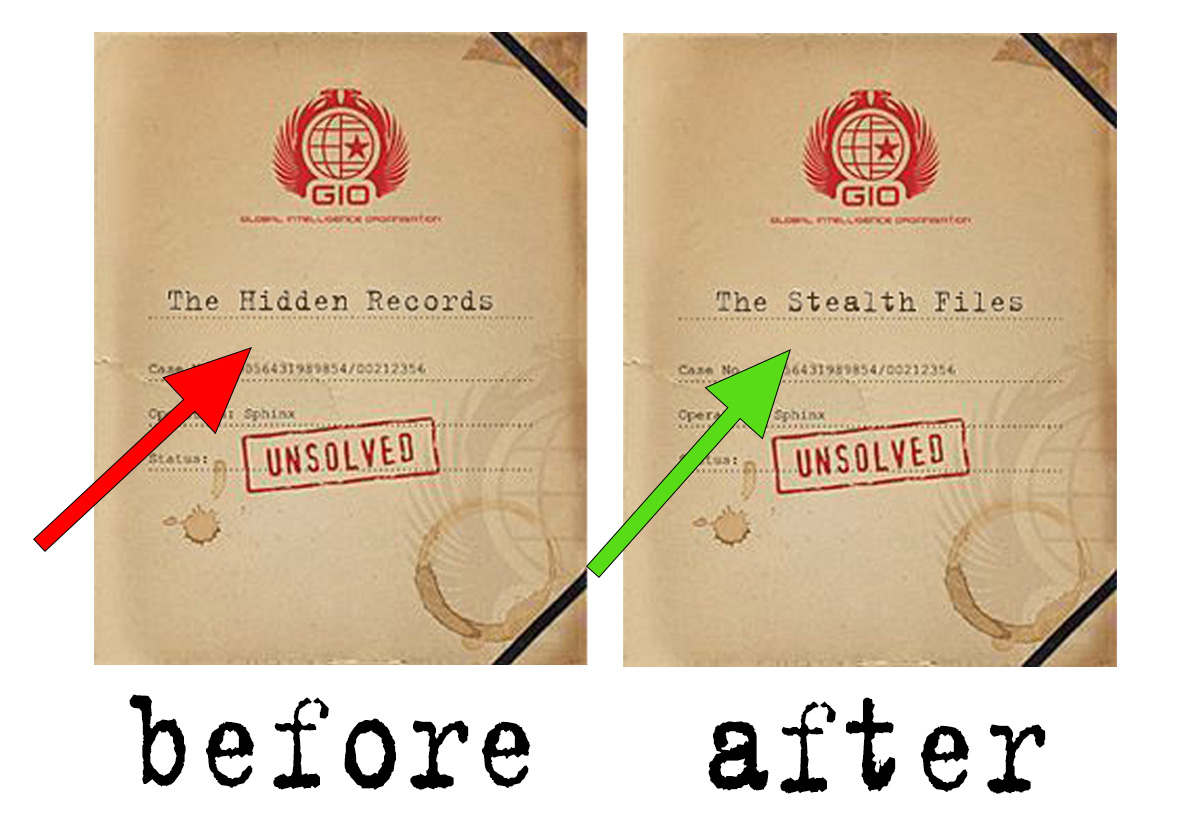
↑ Stains removed, text fixed. Background untouched. That's my work.
7. When You Need This Service
I've worked on all kinds of scanned documents. Here are the most common situations where people need background-preserved editing:
- 📜 Old Family Letters or Certificates: Preserve history while making text readable for future generations.
- 🏛️ Historical Documents: Keep the authentic look, fix damage without losing character.
- 📄 Legal or Business Contracts: Correct errors without losing the original appearance.
- 🖼️ Vintage Paper Items: Posters, maps, manuscripts – keep the vintage feel.
- 📚 Scanned Book Pages: Remove marks, keep paper texture and original layout.
⭐ Read client reviews on my homepage. People trust me with their irreplaceable documents.
8. A Few Rules I Follow
- 🔒 Your scanned PDFs are private. I never share them with anyone.
- 📁 I delete all files 30 days after delivery. Your data doesn't stay on my system.
- 🚫 I don't edit fake documents or forgeries. Only legitimate, real documents.
- ✅ You must own the content or have permission to edit it.
- 📝 Need an NDA? Just ask. I'm happy to sign it.
9. Send Me Your Scanned PDF – Starting at $10
Any age, any quality. Tell me what you want changed. I'll reply within 1 minute with a price and delivery time. Your background will stay exactly as it is.
Learn more about my work: 2nur.com | Contact Page
💰 $10 – $30
⚡ 30min-2hr delivery
🔄 Unlimited revisions
10. Questions People Ask Me
It means you have a scanned document (maybe old, with yellow paper, stains, or texture) and you want to fix the text or remove marks – but you don't want the software to turn the background into plain white. I do exactly that: fix the problems, keep the original look.
You can try. But Acrobat will turn your scanned PDF into a white background. It can't handle stains, handwriting, or paper texture. For authentic documents, you need a human editor who knows Photoshop.
I reply within 1 minute. For most single-page PDFs, I deliver within 30 minutes to 2 hours. Multi-page or complex documents might take 24 hours. I always give you a clear timeline upfront.
Yes. If something doesn't look right, tell me. I'll fix it. Even multiple times. I want you to have a document you're proud of.
Yes. One simple page starts at $10. Complex or damaged pages are $20–$30. Multi-page documents get a discount. I confirm the price before starting – no surprises.
Yes. Many clients have left reviews on my homepage. I've restored thousands of scanned documents for happy customers. Quality and trust come first.
Hire a Scanned Document Editing Expert – Flawless Edits, Clean Data
Need a trusted Scanned Document Editing Expert to correct, retype, or enhance your PDF scans, image-based files, or handwritten notes? 2nur delivers fast, accurate editing for receipts, contracts, books, forms, and historical records — starting from just $10.
We transform scanned documents into clean, editable Word/Google Docs or polished PDFs. Our Scanned Document Editing Expert service ensures 100% text accuracy, original layout preservation, and fast turnaround. Say goodbye to manual retyping errors.
📑 Service Navigator – Scanned Document Editing
Expert Editing Plans1. What Our Scanned Document Editing Expert Can Do
As a professional Scanned Document Editing Expert, I handle any scanned file — PDF, JPG, PNG, TIFF — and turn it into a fully editable, error-free document. Whether you have blurry scans, handwritten notes, or printed forms, we preserve original formatting while correcting every character.
- 📄 OCR post-editing (fixing auto-generated text errors)
- ✍️ Handwritten document transcription & editing
- 📊 Table, invoice, receipt, form reconstruction
- 🔠 Font matching & layout alignment (preserve original look)
- 📑 Multi-page scanned book/article editing
- 📎 Output: Word (.docx), Google Docs, clean PDF, or plain text
We follow ISO-like quality checks: every document is reviewed twice before delivery. For reference: OCR best practices and scan editing standards.
2. Simple, Flat-Rate Pricing
Up to 5 pages | minor text fixes
Up to 15 pages | OCR cleanup + formatting
Up to 30 pages | tables, forms, full layout
📌 Rush delivery (+50%) | Extra pages: $2/page | Includes 2 free revisions
✨ Custom quote for bulk or complex handwritten documents.
3. How a Scanned Document Editing Expert Works with You
- 📤 Upload scan – PDF, image, or photo of document.
- 📋 Analysis & quote – pages, quality, complexity.
- ✍️ Expert editing – manual correction, layout alignment.
- ✅ Review & revision – you check accuracy, we adjust.
- 📎 Delivery – editable Word/PDF + original scan.
4. Why You Need a Human Scanned Document Editing Expert
Automated OCR often creates messy text, misreads numbers, and destroys layout. A professional Scanned Document Editing Expert ensures every comma, digit, and paragraph is correct. 2nur combines speed with meticulous attention — perfect for legal papers, financial records, academic scans, and business archives.
5. Expert Editor vs. Software OCR
50-80% accuracy, no formatting, broken tables, high error rate for handwriting.
99%+ accuracy, layout perfect, any language/handwriting, revisions included.
6. Precision That Saves Hours of Rework
Every scan is edited layer by layer, line by line. We fix skewed text, reconstruct missing characters, and align tables exactly as the original intended. Your final document looks professionally typeset, not like raw OCR garbage.
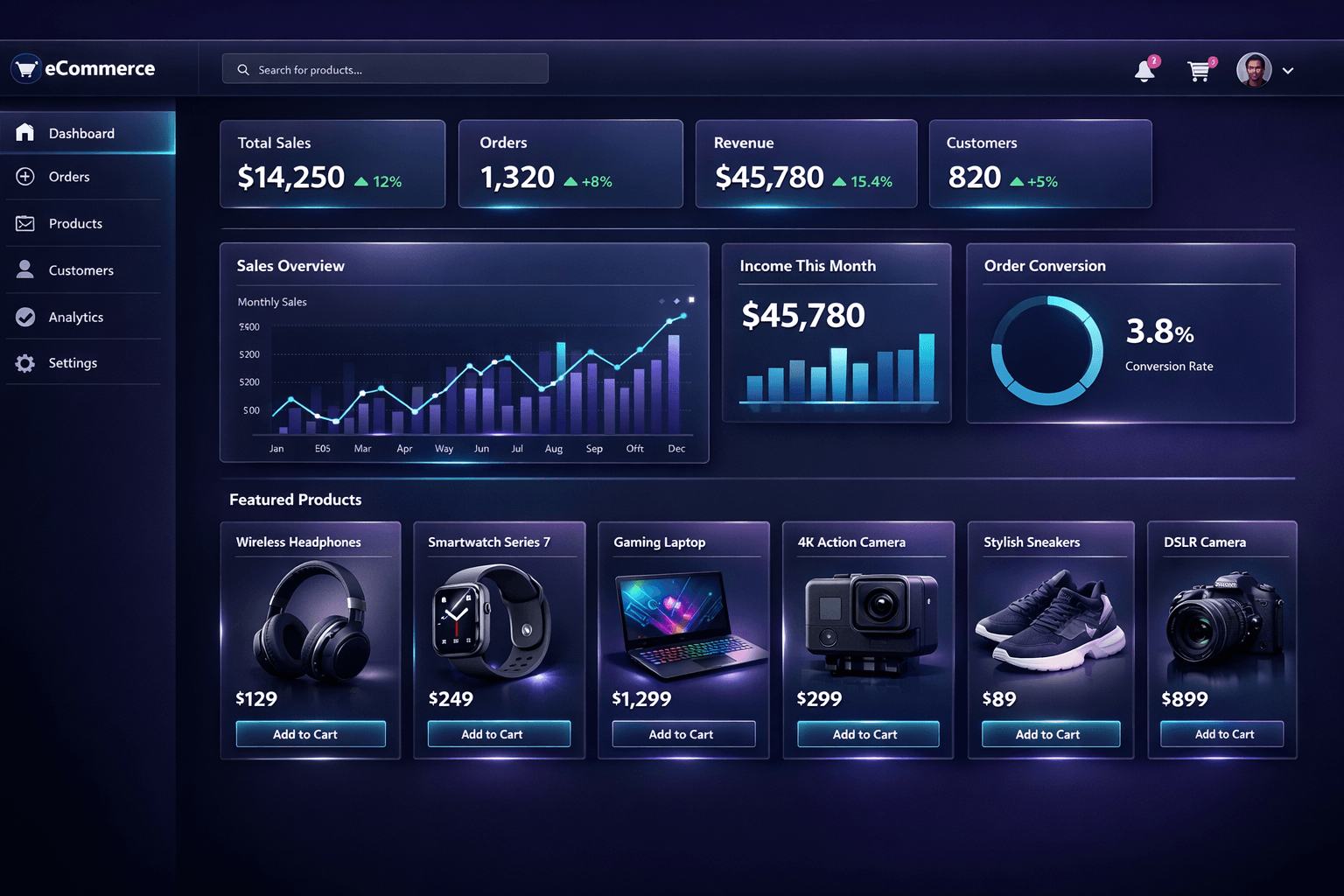
Our workflow follows digitization best practices and OCR correction guides.
7. Why Professional Scan Editing Pays Off
Badly edited scans lead to misinterpreted data, legal risks, and wasted employee hours. Hiring a Scanned Document Editing Expert ensures:
- 📌 Reliable searchable PDFs for archives
- 📄 Clean contracts and proposals that look professional
- ⏱️ 90% less time fixing OCR mistakes manually
- 🔍 Accurate data extraction for reports/analysis
- 🛡️ Compliance with record-keeping standards
8. Confidentiality & Document Policy
We handle all scans with strict confidentiality. Files are deleted after 30 days unless you request longer storage. We do not edit illegal or fraudulent documents.
- 🔒 NDA available on request
- 📁 Encrypted file transfer
- 🚫 No sharing of client documents
- ✅ Only legitimate business/personal scans accepted
9. Hire Your Scanned Document Editing Expert – Start at $10
Send your scanned file (PDF/JPG/PNG) and tell us what changes you need (text correction, retyping, table repair). We'll confirm price & delivery within 2 hours.
More: 2nur.com | Contact Page
🕒 24h rush possible
🔒 100% confidential
10. FAQs – Scanned Document Editing Expert
We manually correct, retype, and reformat scanned documents (PDFs, images, handwritten notes) into editable, error-free Word/PDF files — fixing OCR mistakes and preserving layout.
Yes, those are base prices for standard scan quality up to page limits. Extra pages or complex handwritten content may cost slightly more — but we always confirm before starting.
Standard delivery: 2-3 business days. Rush option (12–24h) available for +50% fee. Just ask when uploading.
Absolutely. Handwritten letters, notes, historical documents — we transcribe and edit with high accuracy.
Yes, the keyword appears naturally in hero, headings, service description, image alt, and this FAQ — helping clients find expert scan editing services easily.