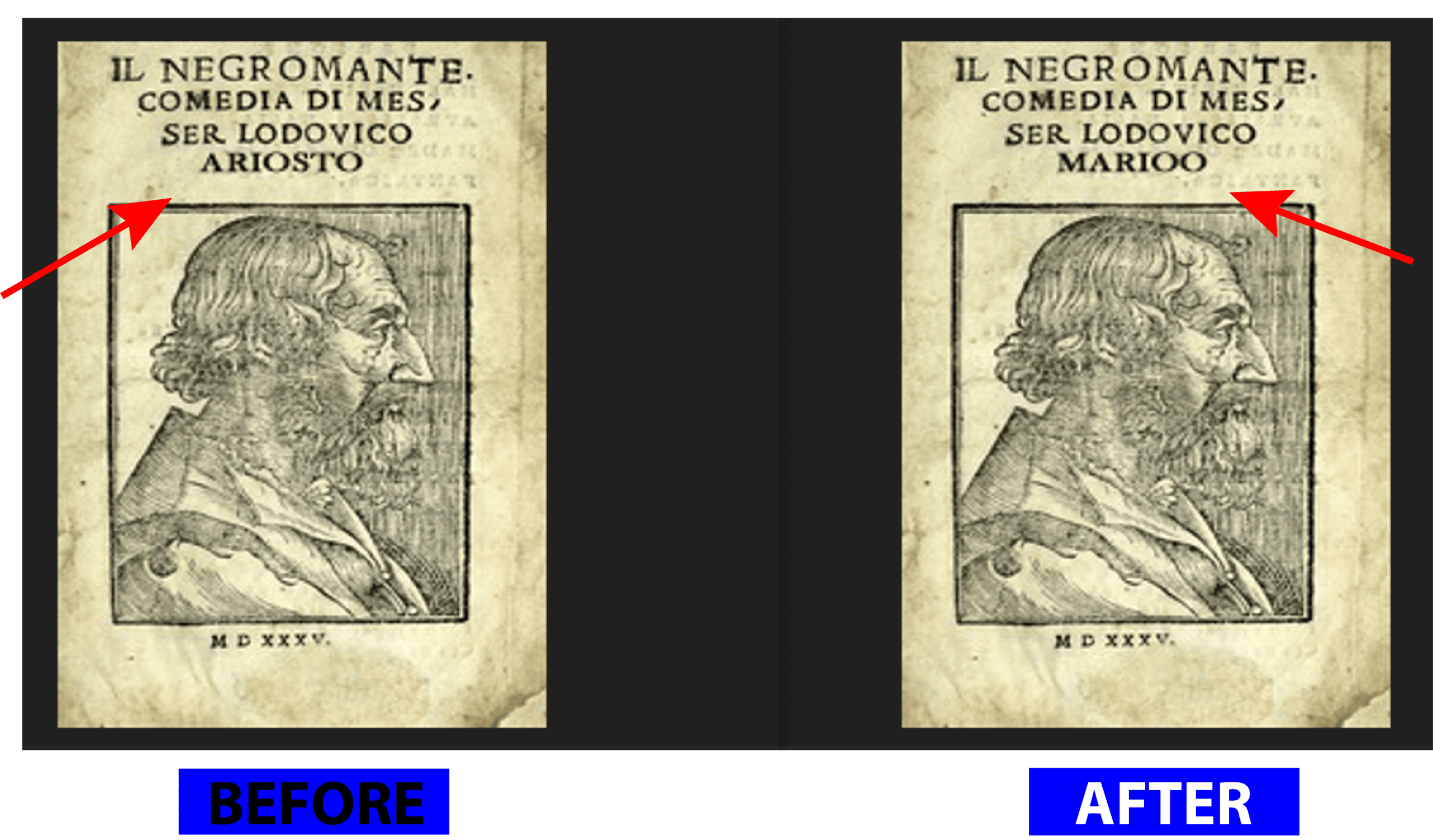
Need to Edit a Scanned Document in the Same Font?
If you need to change a name, date, number, or short text inside a scanned document, we can help make the edit look clean and close to the original style.
What we can help you edit in a scanned document.
It can be one small correction or several changes on a page. The main goal is to keep the file looking neat and natural.
Same Font Matching
We try to match the font size, spacing, color, and overall look so the new text does not feel out of place.
PDF & Image Editing
You can send scanned PDFs, JPGs, PNGs, screenshots, forms, invoices, letters, certificates, and similar files.
Clean Background Repair
If needed, we can clean the old text area and fix the background so the final result looks smoother.
Why people choose 2nur for this kind of editing.
Most people want two things here: the edit should look clean, and the process should be simple. That is what we focus on. Therefore
Careful Work
We pay attention to the small things like spacing, alignment, font feel, color, and background texture.
Reviews
we have many customers and their efficiant review . They say about us how we are
our experianced team
we have very intelligent Team about document editing so you can trust us for high perfect editing service
Revision
You Can Send us unlimited revision . until your document perfect for your work
Fast Response
we Response fast within 30sec to 1 minute. we value your time
Quick Delivery
we deliver file as soon as posible likly, 30 minute to 2 hour.
See how the document looks before and after editing.
This gives a simple idea of how a scanned file can look once the text is edited properly. Since


How the editing process usually works.
You send the file, mention the changes, and we send back the edited version once it is ready Edit scanned document with same font
Send the File
Connect with us via WhatsApp, Telegram, Signal, or Email to discuss your project goals and specific requirements.
Pricing & Terms
We provide a custom quote. Once agreed, We start your project after receiving a 50% advance payment.
execution
Our expert team begins the development or editing process, keeping you updated on the progress at every stage.
Get the Final Copy
You receive the edited file, and if something small needs adjustment, that can be checked too.
Choose the option that fits your file best.
If your job is simple, you can go with a basic option. If the file needs more cleanup, a bigger package makes more sense Edit scanned document with same font
Quick Edit
Good for one page with a few simple text changes.
- Single page editing
- Short text change
- Basic font matching
- Final PDF or image file
Precision Edit
Best if the file is important and needs a cleaner, more careful finish.
- More than one text change
- Background touch-up
- Better alignment check
- Priority support
Complex Edit
Suitable for files that need heavier cleanup and more detailed editing work.
- Deep cleanup work
- More difficult font matching
- Better scan presentation
- Custom final format
Some common questions people usually ask.
Can you edit scanned documents with the same font?
Yes, that is usually the main goal. We try to match the font style, size, spacing, and overall look so the new text blends in naturally Edit scanned document with same font
Which file formats are supported?
Most common formats work fine, including scanned PDF, JPG, PNG, screenshots, and document photos. Clearer files usually give better results.
How do I explain what needs to be changed?
You can send a simple message, marked screenshot, highlighted PDF, or even just write the old text and the new text you want instead.
Can old marks or background damage be cleaned?
Yes, in many cases that can be cleaned up. Old text areas, marks, and rough background spots can often be improved.
Want to get your file edited?
Visit 2nur.com and send your file with the changes you need. Even a short note or screenshot is enough if you already know what should be edited Edit scanned document with same font